
Documentation Index
Fetch the complete documentation index at: https://mainwp-mintlify-c6f1d78c.mintlify.app/llms.txt
Use this file to discover all available pages before exploring further.
What You’ll Learn
- Checking domain expiration dates across all sites
- Entering domain info manually for unsupported TLDs
- Scheduling automated domain checks
- Using Pro Reports tokens for domain data
Supported TLDs
Extension Add-on - This add-on provides standalone functionality within MainWP Dashboard. No third-party plugins required.
TLD lookup support
Domain Monitor attempts lookups through RDAP first. If RDAP does not return usable domain data, the extension falls back to its built-in WHOIS server map for TLDs with a configured WHOIS server. For current TLD lookup references, use these maintained external sources:- IANA RDAP DNS bootstrap data - Current RDAP service coverage by TLD.
- IANA Root Zone Database - Current TLD registry records, including WHOIS server details where available.
Install and Set Domain Monitor Extension
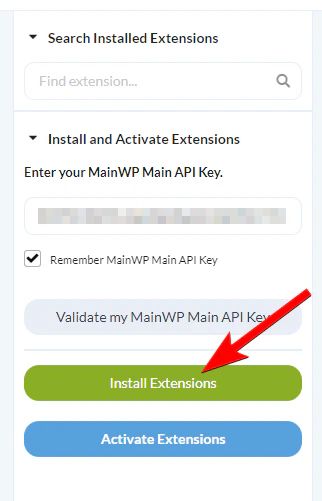
Once the installation process is complete, click the Activate Add-ons button
Once the installation process is complete, click the Activate Add-ons button 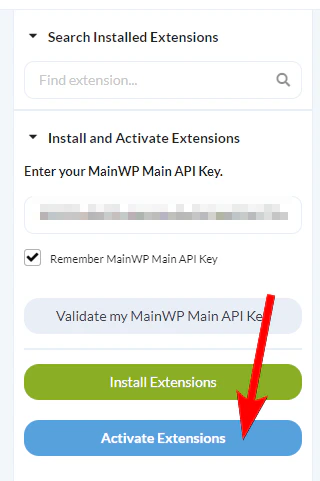
Check Domains
Alternatively, you can use the Bulk actions menu to check selected sites, or use the Check Domain action from the site Actions menu to audit just one site.

Enter Domain Info Manually
If your domain is not on the list of supported TLDs, you can add information manually by following the steps below.
Toggle on the Manual Domain information entry option and click Save Settings
Toggle on the Manual Domain information entry option and click Save Settings
See Domain Info
Locate the site or domain and choose Domain Info from the Actions menu
Locate the site/domain you want to check in the list and use the Domain Info action from the Actions menu.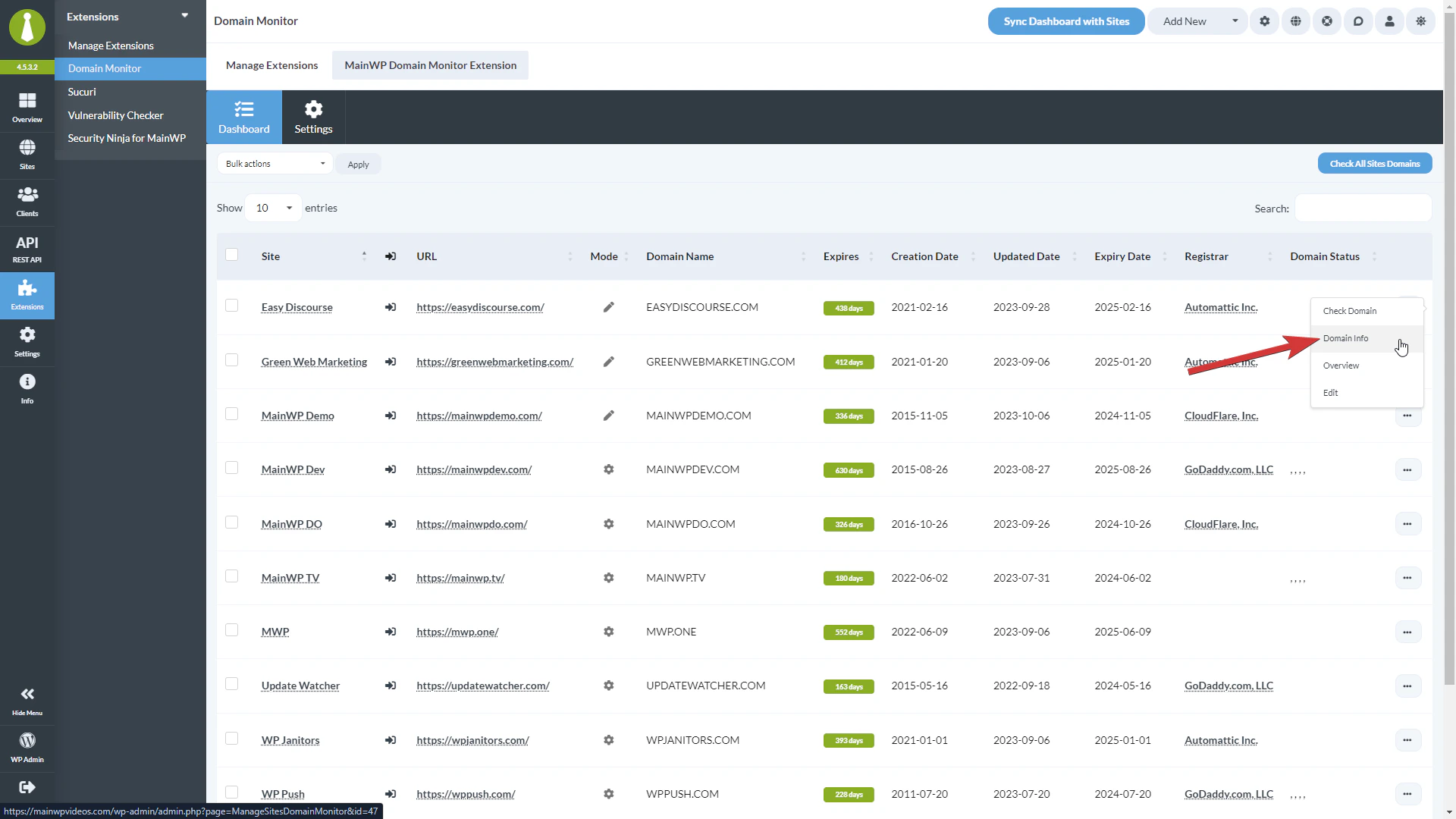
Schedule Automated Checks
Locate the Automated domain checks frequency option and set how often you want checks to run
Choose Once a Day, Once a Week, Twice a Month, or Once Monthly.
Domain Monitor Settings
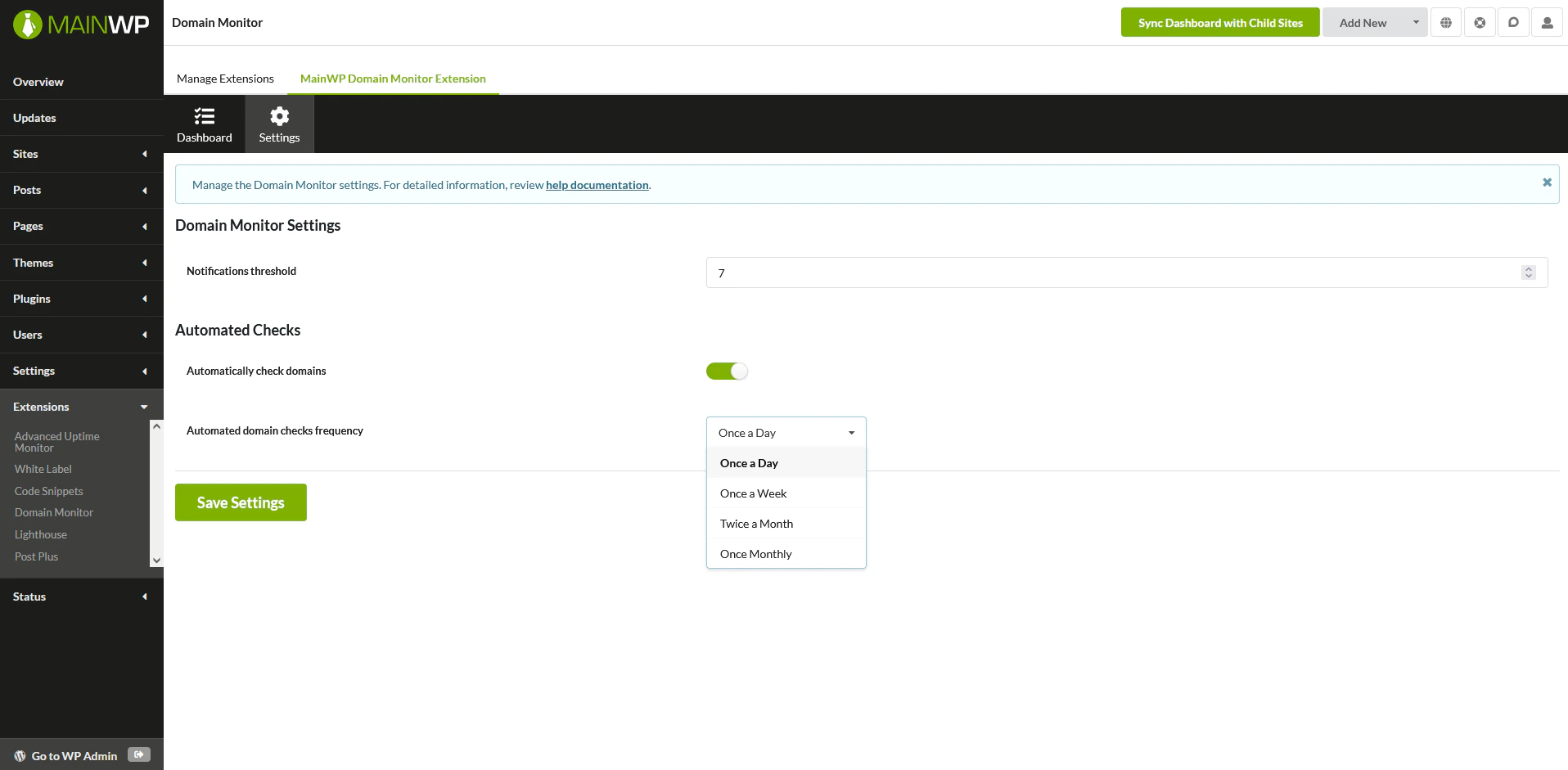
- Notifications threshold - Set the threshold for notifications. If the domain expiration is less in the set number of days, an email will be sent.
- Automatically check domains - If you want the extension to automatically run checks, enable this feature.
- Automated domain checks frequency - If automated checks are enabled, here you can set how often you want them to run.
Check Sites via WP CLI
Check one or more sites:Domain Monitor REST API
MainWP REST API calls, including Domain Monitor endpoints, full documentation, and examples, are available in the MainWP Postman workspace. Refer to our REST API documentation for more details on enabling REST API and managing API keys.Available Reports Tokens
[domain.monitor.domain.name]- Displays the domain name.[domain.monitor.registrar]- Displays the domain registrar.[domain.monitor.updated.date]- Displays the domain updated date.[domain.monitor.creation.date]- Displays the domain creation date.[domain.monitor.expiry.date]- Displays the domain expiry date.[domain.monitor.expires]- Displays the number of days left before the domain expires.[domain.monitor.status]- Displays the domain status.[domain.monitor.last.check]- Displays the last check timestamp.
Related Resources
- Monitoring Add-ons - Browse all monitoring tools
- SSL Monitor - Monitor SSL certificates
- Pro Reports Extension - Include domain data in reports